Start
€29/month
- Up to 5 users
- 5 GB of files
- 1,000 emails a month
- Address on our domain
Private beta
Requests, clients, deadlines and documents end up in files nobody updates and emails nobody finds. Opifex turns them into an application built around the way your team works, without writing code.
Most teams do not lack effort. They lack one place where the work lives. These are the problems Opifex is built to solve.
Today: The client list lives in a spreadsheet on someone’s desktop, with another copy in an email. Nobody is sure which one is current.
With OpifexOne archive the whole team works on. Every change is kept, with who made it and when.
Today: Requests arrive by email and phone and live in the head of whoever took them. When that person is away, things stop.
With OpifexEvery request has an owner and a phase. Anyone can see where it stands and what comes next.
Today: Due dates sit in a calendar, in a spreadsheet, or nowhere at all. Reminders depend on someone’s memory.
With OpifexDeadlines and reminders are part of the process: the right person is reminded in time.
Today: Quotes, letters and reports are rewritten by hand from information you already have somewhere else.
With OpifexDocuments and emails are filled in from the record with one click, as PDF or Word.
Today: Figures are put together by hand at the end of the month, and they are out of date by the time anyone reads them.
With OpifexDashboards that are always up to date: open work, values, phases and trends.
You describe how you work. Opifex builds the screens, keeps the data safe and moves the work along.
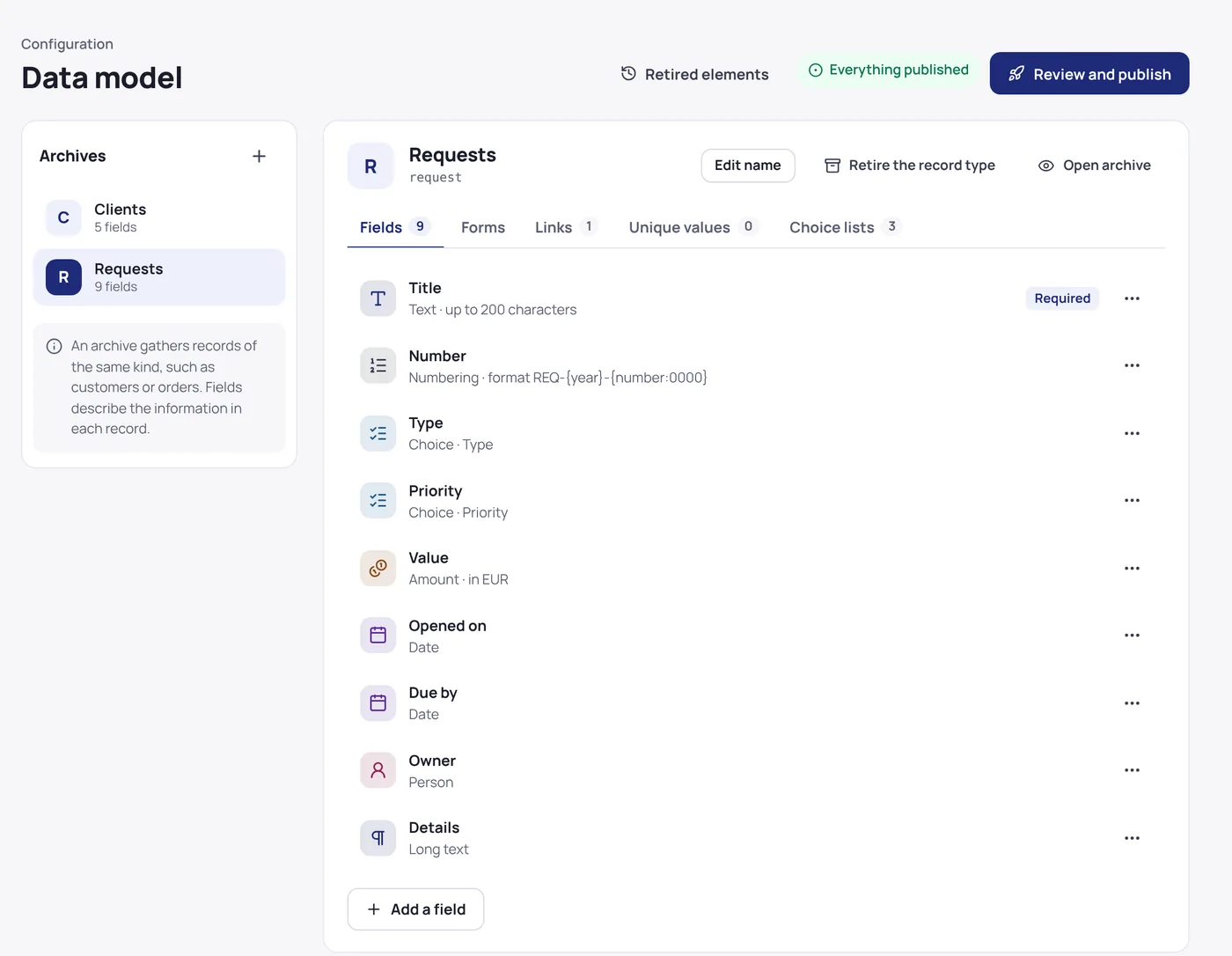
Create archives with the words you already use: clients, requests, contracts. Each field knows what it holds, so an amount has its currency and a date is always a date.
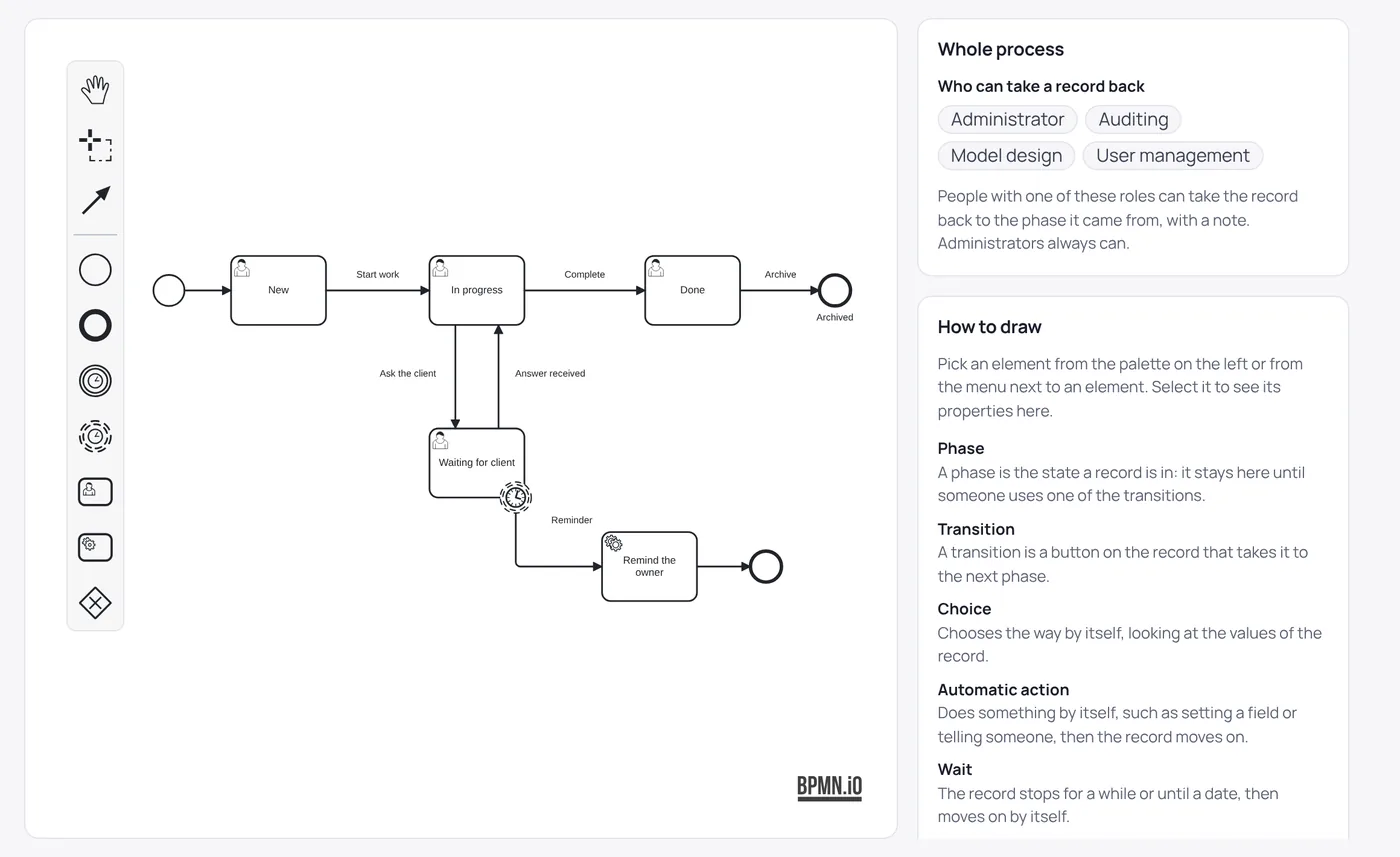
Phases, the buttons that move a record forward, who may press them, reminders when something waits too long. You draw it once; Opifex follows it every time.
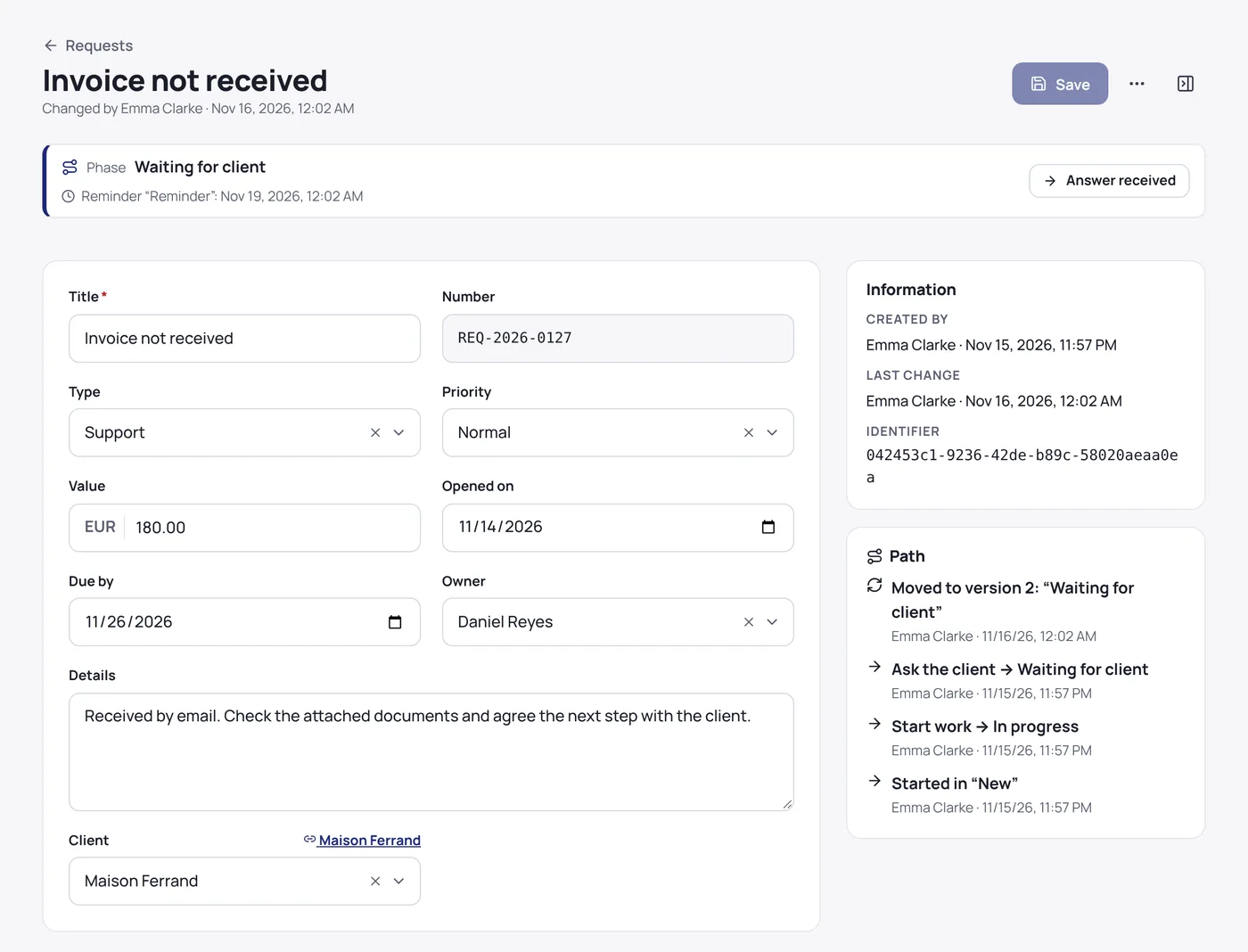
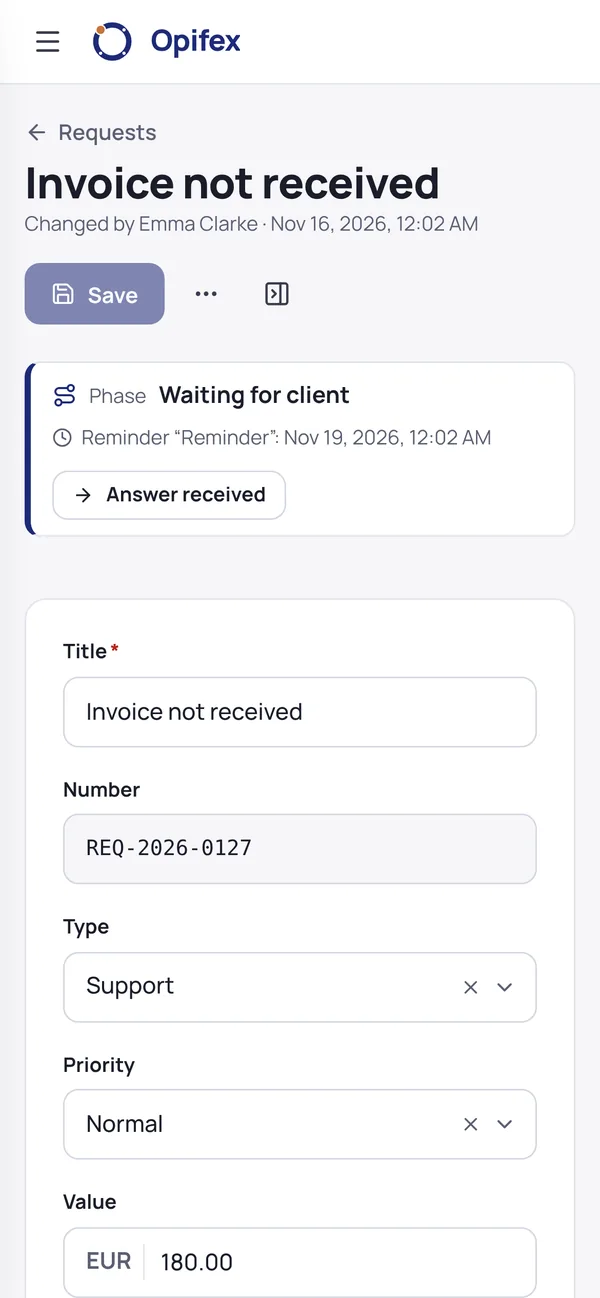
Everyone finds the same list, the same record, the same next step. On the phone too, when the work happens away from the desk.
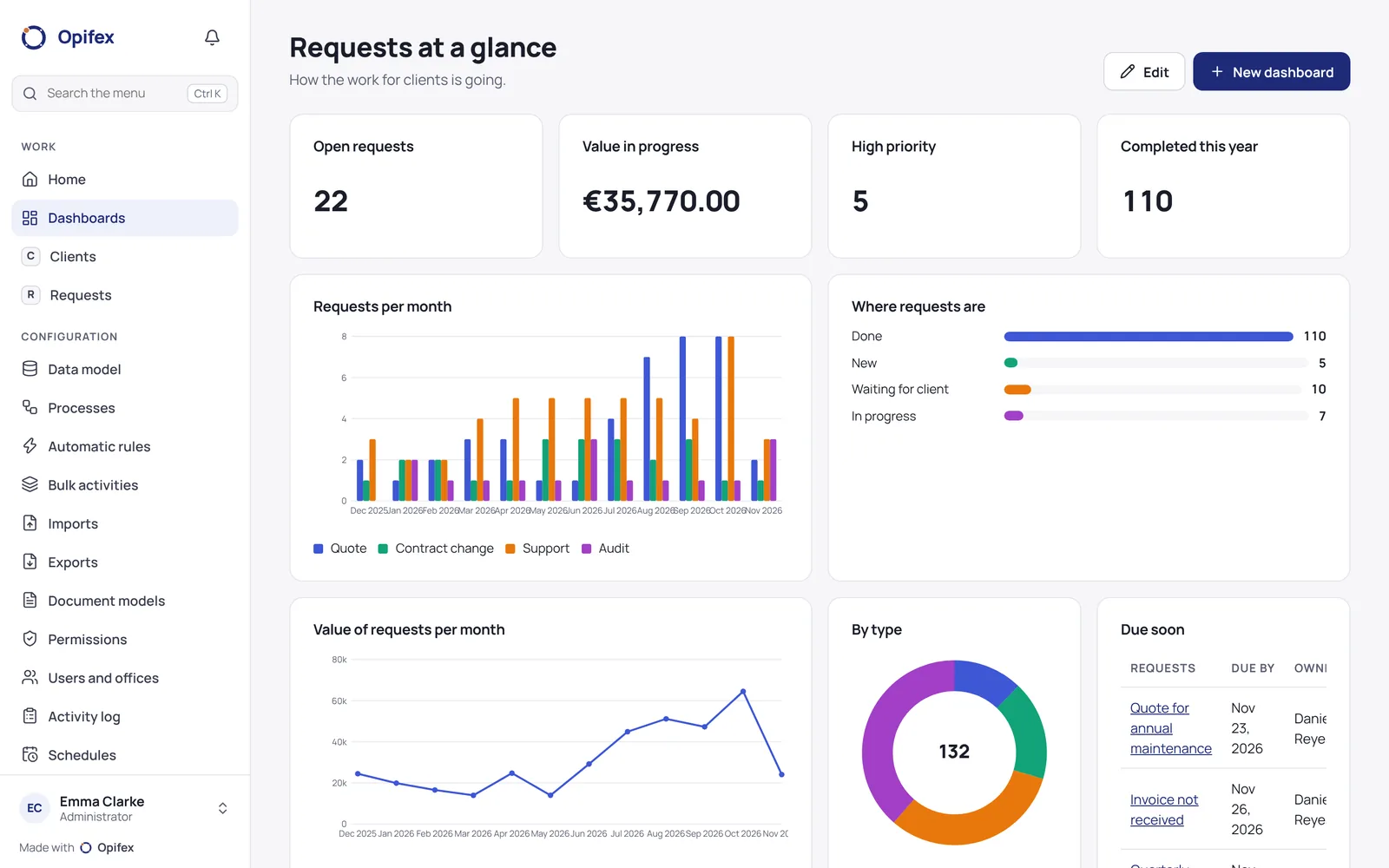
Dashboards read the same data your team works on, so they are right the moment you open them.
Example data from a demonstration application.
November so far
| Month | Requests opened per month |
|---|---|
| Dec | 6 |
| Jan | 7 |
| Feb | 7 |
| Mar | 9 |
| Apr | 10 |
| May | 10 |
| Jun | 12 |
| Jul | 13 |
| Aug | 15 |
| Sep | 16 |
| Oct | 18 |
| Nov | 9 |
Opifex does not ask you to change how you work. A few examples of what teams build with it:
What they build
How a case moves
What they build
How a case moves
What they build
How a case moves
What they build
How a case moves
What they build
How a case moves
What they build
How a case moves
Required fields that depend on the situation, lists that depend on each other, checks before saving.
Formulas, rules before and after saving, scheduled tasks and bulk changes that do the repetitive work.
PDF and Word documents from templates, fillable forms, emails with attachments and daily summaries.
Bring in your spreadsheets from Excel or CSV, check every row first, and export whenever you like.
Charts, pivot tables, calendars and Gantt, on dashboards you can share by role.
The same application on computer, tablet and phone, in light or dark, in your language.
Data and files are kept in data centres in the EU.
Each customer has a separate application, database space and files.
Roles, two-step verification and an activity log that cannot be altered.
Every archive can be exported to Excel, CSV, JSON or XML at any time.
The beta is free. These are the prices we plan at launch, per application per month, VAT excluded; two months free with yearly billing.
€29/month
€79/month
€199/month
Extra users and tailored plans on request. Prices may change before launch.
No. Everything is designed from the browser: data, forms, processes, rules and documents. Formulas use a simple language with suggestions as you type.
Yes. Import from Excel or CSV: Opifex shows you each row before saving, flags what does not fit and lets you fix it.
In data centres in the European Union. Each application has its own database space and its own files, separate from the others.
Yes. Point your domain to us, prove it is yours with a DNS record, and the certificate is obtained automatically.
We invite people from the waiting list a few at a time. The beta is free and we would love your feedback.
Always. Every archive can be exported to Excel, CSV, JSON or XML.